orange Scan2VGA  white Product Brochure  white Firmware Updates  white Price List
Image Access Video

Newsletter registration


Unsubscribe from Newsletter
flag   Home dot Software dot Scan2VGA


  Logo Scan2VGA

Scan2NetŪ Software
Virtual Graphic Application

Scan2VGA

  • Connect a monitor to the scanner
  • No client PC is required
  • Operation of the scanner via touch screen
  • Post-scan modification of the images - without rescanning, simply by changing scan parameters
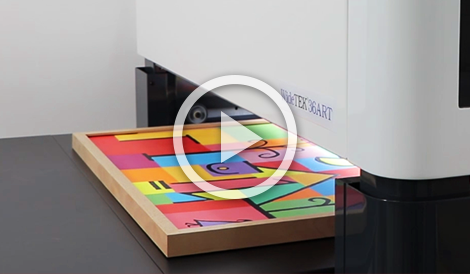
All WideTEK scanners with a touch screen support the function Scan2VGA. With this option, a VGA monitor can be directly connected to the scanner. The scanned image is displayed on the VGA monitor - a fully standalone solution without the need for a client PC.
After scanning the user can modify scan parameters such as brightness, sharpness, gamma and contrast as well as the color mode and can rotate the image or mirror it. The changed parameters in the scanned image are immediately displayed on the monitor. The operator does not need to rescan the document.
All parameter changes will be saved for subsequent scans. This saves time considerably, especially if large scan quantities with the same scan parameters should be managed.


Scan2VGA

Scan2VGA - Control and Modify Scans without Having to Rescan

Thanks to Scan2VGA, the user increases document throughput, saves the PC equipment and is more flexible in choosing the location of the scanner.
After the quality check, images can be saved to the PC, an FTP server, a USB stick, a network drive or sent to an eMail address or network printer.
The software option Scan2VGA enhances and complements the Scan2NetŪ functionality. The software for the option is available for purchase and for download online in the Image Access Customer Service Portal.

The table for the monitor as shown in the picture is not a part of the option Scan2VGA. It is available for purchase here ...


Bookeye® 4-V2 Book Scanner
Bookeye® 4-V2 Book Scanner

Bookeye® 3-R2 Book Scanner
Bookeye® 3-R2 Book Scanner

Bookeye® 3-R1 Book Scanner
Bookeye® 3-R1 Book Scanner

Bookeye® 2 Plus Book Scanner
Bookeye® 2 Plus Book Scanner

WideTEK 25 Flatbed Scanner
WideTEK 25 Flatbed Scanner

WideTEK 36 Wide Format Scanner
WideTEK 36 Wide Format Scanner

WideTEK 36DS Wide Format Scanner
WideTEK 36DS Wide Format Scanner

WideTEK 42 Wide Format Scanner
WideTEK 42 Wide Format Scanner

WideTEK 48 Wide Format Scanner
WideTEK 48 Wide Format Scanner