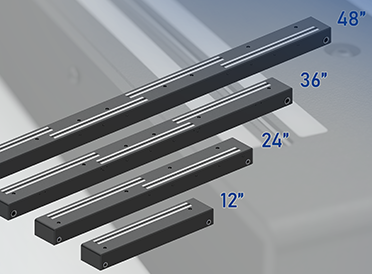
Attached to the back wall of the scanner, the two magnetic
document return guides send the scanned document back
over the top of the scanner to make feeding the next
document a more ergonomic process for the operator. The
guides are adjustable for optimal placement based on the
width of the batch of documents being scanned, further
increasing production speed.The paper guide consists of only one piece which includes the
scanning bed, scanning area and the exit path. There are
no edges or catches which could cause a paper jam. If
necessary, the entire paper guide can be removed by
unscrewing a few easily accessible screws, allowing full
access to the transport drums and the background drums.
Antistatic stainless steel paper guide
Textured surface for trouble free transport
Extremely long lasting
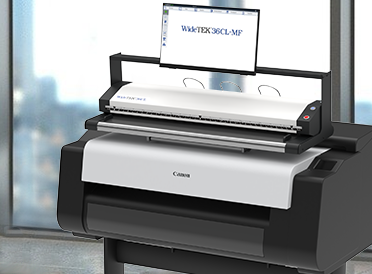
The WideTEK 36C uses three very fast, dual light CIS
elements that illuminate the scanning surface almost
perfectly, making all surface imperfections invisible.
Three CIS modules with 300+ LEDs each
Dual row illumination hides all wrinkles
Much faster than most CCD scanners
This type of transport system can only be found in more
expensive CCD based scanners. Image Access is the first
vendor to design a production ready transport system into a
low cost CIS scanner
Four wheel drive
Gentle transport with minimal pressure
Easy to clean gray rubber on both sides
Two USB connectors at the front of the device make it easy
to walk up to the scanner, plug in a USB storage device, scan
your source document and walk away - without the need
for a connected PC - ideal for every self-service environment.
Two robust, industrial quality USB ports
Immediate availability of scans on a takeaway device, virtually paper-free
True standalone solution
The 7 inch color WVGA (wide VGA) touchscreen provides access to all functions
directly from the scanner. It is very easy to access and is
operator-friendly because it is located right at the center of
the scanner, exactly where the operator stands or sits.
PC and touchscreen inside, no hidden cost
True standalone solution
Fast Gigabit network connection
Ultra high resolution 210 megapixel camera with no Bayer pattern
Smallest footprint on the market
Long life LED illumination
Sturdy industrial housing
Compact, ergonomic design suitable for
even the smallest office environment
Ultra high resolution 210 megapixel camera with no Bayer pattern
Smallest footprint on the market
Long life LED illumination
Sturdy industrial housing
Compact, ergonomic design suitable for
even the smallest office environment
Audio output makes the scanner easy to operate
and simplifies troubleshooting in case an error arises.
The audio cues are available in multiple languages, offered
in the Scan2Net® interface in your browser or on the
touchscreen. In addition, there are non-verbal audio cues
to confirm various touchscreen selections. The Scan2Net® technology is the underlying technological platform for controlling Scan2Net® devices.
All parameters are available in a clearly structured interface.
Minimized scan time combined with multipurpose data output increases
the efficiency of document scanning. All Image Access scanners that have a touchscreen support the function Scan2VGA.
With this option, a VGA monitor can be directly connected to the scanner
to preview scanned images and allow on the fly modifications before finalizing scans.
This makes the scanner a fully standalone solution
without the need for a client PC.Image Access scanners are a truly green
scanners. The power supply is CEC level V compliant, the
lowest power consumption level and highest efficiency level
existing today.
Its power consumption in sleep mode is only 0.5W. It operates on any mains voltage in the world, from 100-240 V AC, 47 - 63 Hz. During scanning, the power
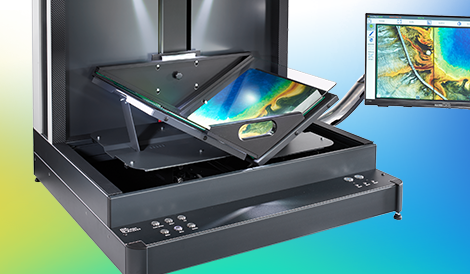
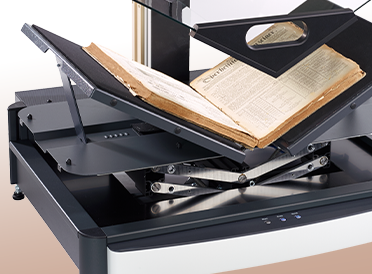
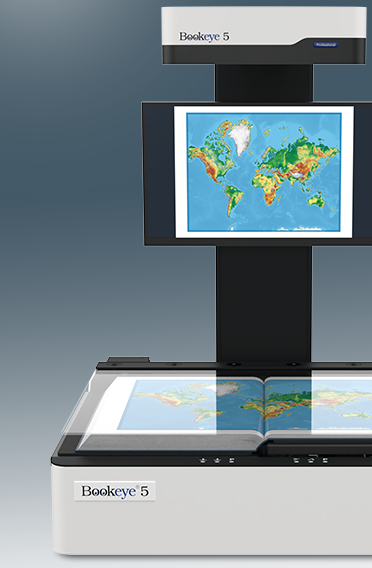
consumption varies but is always less than 150W. The design of the scanner is not only elegant and pleasing to the eye but also ergonomic. All operational controls, connectors and buttons are placed exactly where they are convenient to the user.Scanning more than A2 in size, the device fits in nearly any environment due to its very small footprint.Fingerprint authentication enables job storage and management as well as security in an office environment.The local WiFi access point built in to the scanner allows mobile scanner operation and storage of images via Scan2Pad®An optional foot switch can be used for simplified operation and high production batch scanning.Pad holder for a secure place to put your iPad, Android tablet or smartphone when operating the scanner using the mobile scanning application Scan2Pad®Two bars, each containing bright white LEDs provide always ready illumination (no warm up time, IR/UV free), for excellent scan results.Four small start buttons along the front edge of the scanning bed allow you to start a scan even when holding down the pages of a book.Image Access scanners have been tested and proven compliant with international standards. Certification and compliance declarations can be seen on the model type label on the back of the deviceThe automatic motorized book cradle with up to 10 cm height adjustment is programmable for the thickness of a book. Set it once and scan the book without having to constantly control the position of each cradle and the pressure on the book to the glass plate.The glass plate can be set to automatically open after each scan, making high volume scanning easier on the operator.The glass plate is ideal for scanning in flat mode with very thick books. The glass plate applies the ideal amount of pressure to the source material without damaging it, assisting in flattening the curve of the book fold.Using the programmable book cradle, the pressure of the book to the glass plate can also be programmed, always ensuring the proper amount of pressure regardless of where in the book you are scanning.The V-shaped book cradle, adjustable up to 180 degrees, is ideal for gently scanning valuable and fragile books by holding the book in a natural position which will not damage the book's spine.
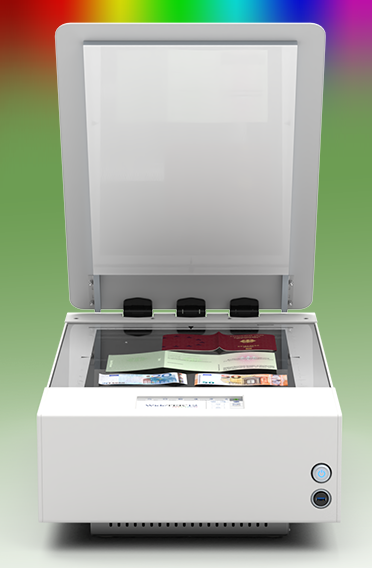
Fastest color flatbed scanner for documents up to 18.5 x 25"
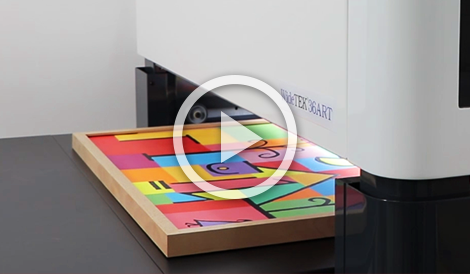
Image Access recently fully reengineered their WideTEK® 25-600 wide format flatbed scanner, currently the only wide format flatbed color scanner on the market for professional applications. The WideTEK® 25 is extremely fast and delivers high resolution color, black and white or grayscale images in jpeg, tif, pdf and most other standard image output formats. It combines user friendliness, production-ready design and uniquely compact dimensions in a new class of professional but affordable scanners.
State of the art illumination, using bright white LEDs, guarantees long lifetime and best scan results at a very low noise level, in spite of the high speed. The cutting edge camera technology, consisting of a dust-protected, hermetically sealed camera box holding CCD camera optics using a patented stitching procedure, deliver a maximum resolution of 1200 dpi.
The WideTEK® 25 can scan just about anything: from business cards to diagrams in A2 format, books, newspapers, maps, construction drawings, bound documents and more. The scanner needs less than three seconds to scan the largest format of 18.5 x 25 inches in a brilliant quality. Its compact size and integrated walk up scanning software make it the ideal solution for reprographics, copy services, press clipping services as well as in universities, libraries, architectural, engineering and construction offices.
Walk Up Scanning For Output to FTP, SMB, USB, email and Mobile Devices
Users operate the scanner either with a standard internet browser, the built in touchscreen or a mobile device like a smartphone, iPad or Android tablet, using our application for mobile devices Scan2Pad®. With our intelligent Scan2Net® technology, users can configure and operate the WideTEK® 25 via either the browser, touchscreen or mobile device and store the images where they are needed: FTP server, USB device, network drive, send them via email or even save them on your iPad or to the cloud. Color mode and brightness of the document can be selected before the scan and page splitting enabled. Scan2Pad® also enables direct creation of PDF files, automatic recognition of document size, selection of scan parameters such as color, grayscale and black and white; and of course, the excellent image quality you are accustomed to from all Image Access scanners.
An external monitor connected to the scanner can be used for image control or to modify the scan parameters and the output image, without the need for a client PC and without having to rescan the source document. The integrated walk up scanning software makes the scanner a truly shared device. Simply walk up, scan and store or send the image.